00 For parents and caregivers v1.1.10 Release
2026-10-15
The number, on a screen in the room
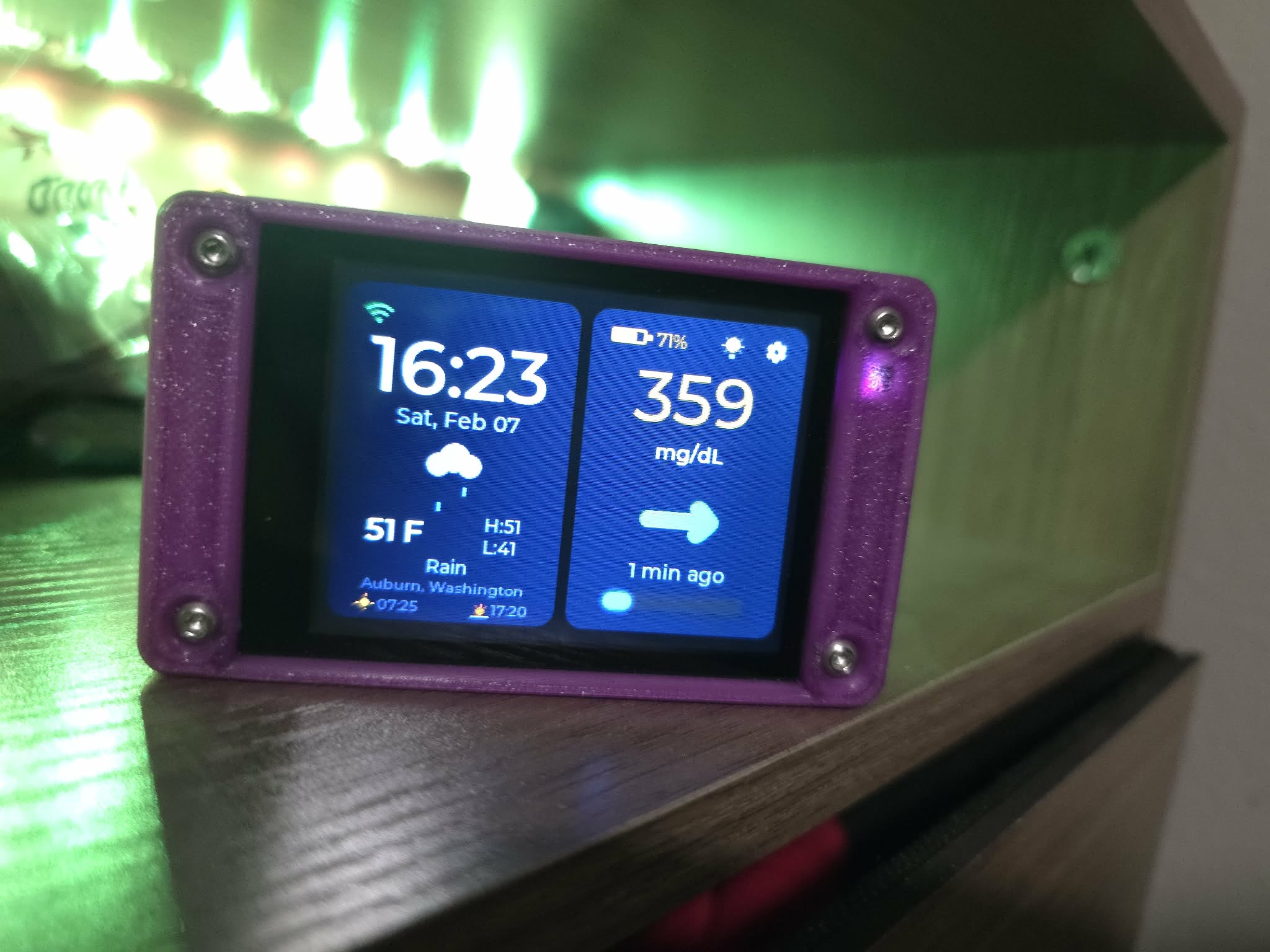
A CGM display for parents and caregivers who already get readings shared to them. It signs in as a follower on Dexcom Share, LibreLinkUp or Nightscout, so the number sits on a shelf in the kitchen instead of only on a phone.
- $40In parts
- 3Sharing services
- 90sBetween checks
- 0Accounts with me
01 What this actually is
A second screen for readings you already get
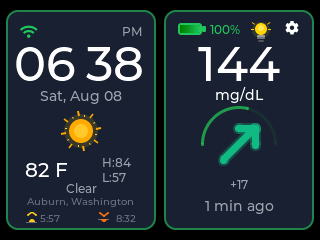
If you already follow someone's CGM on your phone, CYGM shows you that same stream on a dedicated screen. Nothing about the sensor, the wearer's app or your existing follower alerts changes.
I want to be clear about what it is: a convenience, not a safety net. The phone app you have now stays the thing you check. What the screen adds is that you don't have to be holding a phone to see a number while you're cooking or walking down the hall.
02 Setting up as a follower
Each service shares in its own way
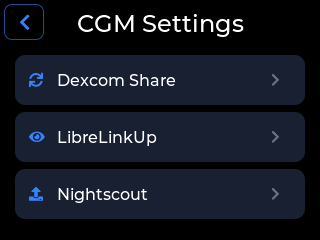
All three need something arranged on the wearer's side first. With Dexcom Share and LibreLinkUp, the wearer's own app or receiver has to keep uploading, or there's nothing for the device to read.
-
Dexcom Share
The device signs in as a follower and reads the same stream your other followers see. Share has to be on in the Dexcom app, with at least one follower on the account.
-
LibreLinkUp
The wearer invites you from the FreeStyle Libre app. You accept in LibreLinkUp, and the device uses that same email and password. Accounts are region-locked to the wearer's.
-
Nightscout
If your household already runs a Nightscout site, the device reads from it directly, using an Admin Tools subject with the readable role. Give it that access token, never the API secret.
You type the sign-in on the touchscreen once and the device keeps it in its own storage. The full step-by-step for each service is in the CGM setup section of the device guide.
03 Where people put them
One per room, if that's what suits your house
Each device is independent, with its own WiFi settings, sign-in and alarm thresholds, so a second one is just another board and another wall socket. There's no licence and no upgrade.
-
The kitchen
The most common spot, because it's where people already stand. A shelf or a counter near an outlet, angled so the number reads from the doorway.
-
A bedside
A dimmed night face and a separate set of thresholds. The bedside page covers the overnight setup properly.
04 The boundary
What a screen in your house cannot tell you
It shows a number that has already travelled from a sensor, through the wearer's app, into a sharing service, and back out over your WiFi. Every one of those steps can be late, can gap, or can stop, and the screen can't see any of that happening further up the chain. It isn't clinically validated and it isn't cleared by any regulator.
It can't tell you where anyone is, or how they feel, or whether they've noticed anything themselves. It knows a value and a time, and nothing else.
It can't reach anyone either. The alarms sound in the room the device is in. If nobody's in that room, nothing happens except that the device keeps working. It sends no messages and it calls no one.
It doesn't substitute for the alerts on the prescribed receiver or app, and it shouldn't replace them. Keep those exactly as they are and treat this as one more place the same information shows up. Always confirm on the official CGM system before you act on anything.
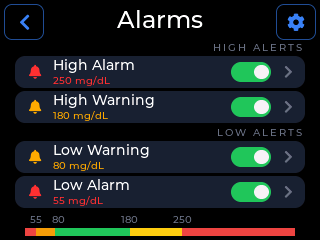
The device can warn you when readings stop arriving, which is the failure a threshold alarm can't catch, and when it does it suggests likely causes rather than diagnosing one. That's the honest shape of it: it can tell you it's gone quiet, not why.
05 Questions parents ask
Answered plainly
Does it work when my child is at school?
It shows whatever the sharing service is publishing at that moment, wherever the wearer happens to be, exactly the way your follower app does. What it can't do is tell you anything about the room they're in.
What if the WiFi drops?
The device stops receiving new readings, because every reading arrives over the network. The data-gap alert is there for exactly this: it warns you when readings stop arriving instead of leaving a stale number sitting on the screen looking current. The device needs 2.4 GHz WiFi and can't see 5 GHz networks at all.
Does anyone else see the data?
No. There's no CYGM account and no CYGM server holding readings. The device signs in to your chosen service directly, keeps those credentials in its own storage, and the readings go from that service straight to the screen. Two things do reach this site: a check for newer firmware, and a short heartbeat so I can count how many units are running. Neither ever carries a glucose reading, a credential or a setting, and what the heartbeat does carry is the board's network hardware address, which is fixed to that board and survives an erase, plus your city if you have set a weather location, and my server turns the connecting address into a rough location through ipwho.is. On firmware v0.16.3 and earlier it is sent in the clear rather than over an encrypted connection; later firmware encrypts it. Either way there is currently no switch to turn it off on its own, short of erasing the device. The privacy section on the home page has the full detail, including the lookup my server does and what the hosting company logs.
Do I still need my phone alerts?
Yes. Keep the alerts on the prescribed app or receiver exactly as they are. This is a second screen, not a replacement alarm, and it can fail on its own without the official system failing.
06 Why it exists
I'm in the same position you are
I'm Carl Brothers, and I wrote the firmware, in
the words I used when I first put the project up:
When my step-daughter was diagnosed with Type 1 Diabetes, I knew I had to do
something. With the incredible support of my wife Stefanie, CYGM was born: an
affordable, open-source tool to make life a little easier for the families who need it
most.
It's all MIT licensed and the source is public. More about the project and who makes it.
07 Next step
Start with the service you already follow on
The part that takes longest is the sharing side, and most people have already done it. The device is one board, no soldering.
CYGM is an open-source, experimental secondary CGM display. It is not FDA-cleared or FDA-approved, and it has not been clinically validated. It shows readings that have already travelled through your own CGM's app and cloud service, so it can lag, gap or fail independently of them.
Never use it as the sole basis for a treatment decision, and never rely on it as your only alarm. Always confirm on your prescribed CGM receiver or app before dosing or treating.